Classic Outlook screenshot:
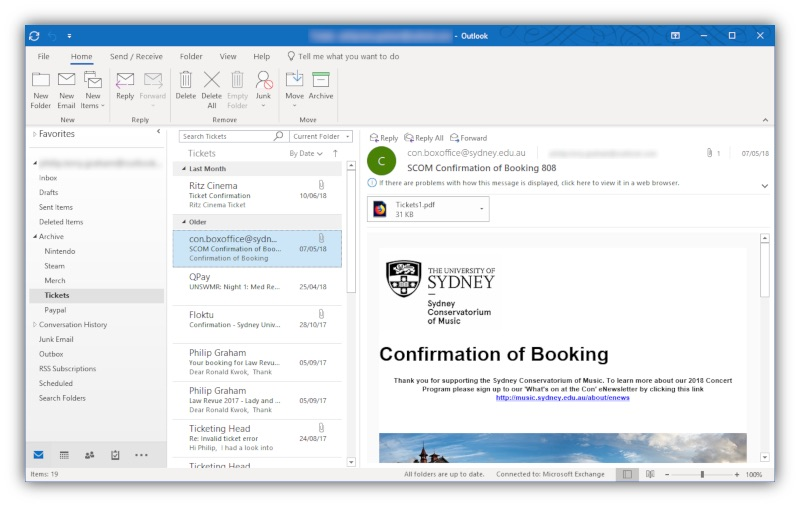
For decades, Microsoft Outlook has been a cornerstone email client and personal information manager for millions, evolving significantly since its first release in 1997. Known as a workhorse, the traditional desktop version ("Classic Outlook") allowed users to connect to various email servers (including Microsoft Exchange, POP and IMAP) and manage their email, calendars, and contacts, often storing data locally for offline access and fast searching.
The Forced Transition to "New Outlook"
Microsoft is now actively transitioning users from the familiar "Classic Outlook" to a redesigned "New Outlook." This new version is becoming the default for many Microsoft 365 subscribers, with automatic migrations rolling out. While Classic Outlook may remain available for users with perpetual (non-subscription) Office licenses for some time, the direction is clear: Microsoft is pushing users towards the New Outlook platform.
The Hidden Catch: A Critical Privacy Issue
A fundamental and alarming change is hidden under the hood of the New Outlook.
When you connect any account to the New Outlook – including non-Microsoft accounts like Gmail, Yahoo, or your own company's IMAP server – your account credentials (username, password, or tokens), emails, calendar events, and contacts are synchronized and stored on Microsoft's Cloud servers.
This means Microsoft potentially holds copies of sensitive data even from providers completely unrelated to them. Data is no longer just stored locally on your machine or solely on your original email server (like your company's MailSite server or Google's servers); it's duplicated onto Microsoft's infrastructure. This raises significant privacy and data control questions, especially for businesses and users handling confidential information.
Significant Feature Downgrades
Furthermore, this transition comes at a cost. The New Outlook, while offering a modernized interface, lacks many key features that power users and organizations rely on in Classic Outlook:
No Support for Exchange ActiveSync accounts: Support for the Exchange ActiveSync protocol has been dropped.
Limited Offline Functionality: Designed as cloud-first, robust offline access is significantly reduced.
No Data Export/Import: Manually backing up or migrating mailboxes (.pst files) is no longer possible.
Incomplete Account Support: Full functionality for some account types (POP, certain IMAP configurations, shared mailboxes) is missing.
No Interface Customization: The ribbon and toolbars cannot be customized to user workflows.
No VBA Macro Support: Automation and scripting capabilities are removed.
No Local PST File Support: Archiving is cloud-based only; local archives are not supported.
Simplified Search: Advanced search and filtering options are less powerful.
File Handling Limitations: Cannot directly open .EML or .ICS files.
Reduced Management Features: Advanced calendar sharing, permissions, and contact grouping are limited.
Basic Rules Only: Complex email automation rules are not supported.
Limited Personalization: Fewer options to customize views and interface elements.
Missing Security Features: S/MIME digital signing and email encryption are absent.
No Roaming Signatures: Signatures must be recreated on different installations.
Global View Settings: Folder-specific view customization is not possible.
Our Recommendation: Move Away from Outlook
Given the feature reductions and, more critically, the privacy implications of routing all your data through Microsoft's Cloud servers, we can no longer recommend Outlook for users that value data control and privacy.
We strongly advise MailSite users (and others concerned about these changes) to consider migrating to alternative email clients. Mozilla Thunderbird is an excellent, feature-rich, and privacy-respecting option.
Learn how to use Thunderbird with MailSite for syncing email, calendars, and contacts here:
https://mailsite.com/blog/using-thunderbird-with-mailsite-to-sync-email-calendar-contacts